
Why another serial monitor?
screen, minicom, picocom all do the same thing: open a port, show bytes, let you type.
That works fine for a quick debug session. It breaks the moment you want to automate anything.
- No scripting. No pattern detection. No structured output.
- One port at a time.
- No exit code based on what the device prints.
emon is built around the idea that serial output is structured data, not just text.
If your device speaks UART (ESP32, STM32, Arduino, Raspberry Pi, a custom FPGA board,
an industrial PLC, a GSM modem), emon works with it out of the box.
It watches for patterns, fires hooks, streams JSON, and integrates directly into CI pipelines.
Source: github.com/EspilonOrg/emon
Watch your device boot
Plug in any UART device, run emon. Events are detected and color-coded in real time.

Pattern files are dead simple: one rule per line, POSIX extended regex.
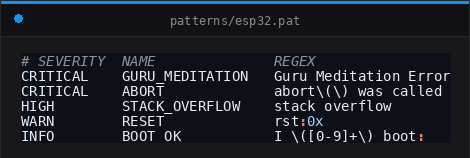
SEVERITY NAME REGEX. That is it. Works against any text your device sends over serial.
Built-in families ship for ESP32, STM32, Arduino, FreeRTOS, Zephyr and ESP-IDF.
Adding support for a new device is just a .pat file, no C required.
Two devices, one terminal
Monitoring a fleet? A board talking to a modem? Two MCUs exchanging data? Open every port at once, each color-coded, in a single terminal.

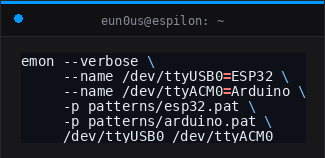
One thread per port. Events from all devices appear in real time, clearly labeled. Works with any mix of devices: USB-serial adapters, native UART, CDC/ACM, anything.
CI integration: exit with the right code
Flash your firmware, then let emon block until the expected output appears, or timeout.
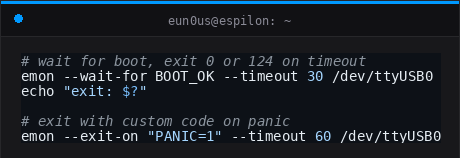
Wire this directly into GitHub Actions, a Makefile, or any test runner. No wrapper script. No grepping output. Just an exit code.
0: pattern matched, device responded correctly.124: timeout, something went wrong.- Custom code:
--exit-on "PANIC=1"exits with1on panic.
JSON event stream
Every matched event can be emitted as NDJSON on stdout.
Pipe it anywhere: jq, a log aggregator, a webhook.

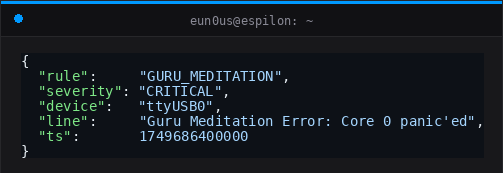
emon --quiet --json-events -p patterns/mydevice.pat /dev/ttyUSB0 | jq .Send commands to your device
Interactive mode gives you full bidirectional I/O. Type commands, the device responds, events still fire in the background.

emon -i /dev/ttyUSB0| Shortcut | Action |
|---|---|
Ctrl+C | Quit |
Ctrl+A X | Quit |
Ctrl+A H | Help |
Background daemon
Run emon detached, collect logs, inspect later.
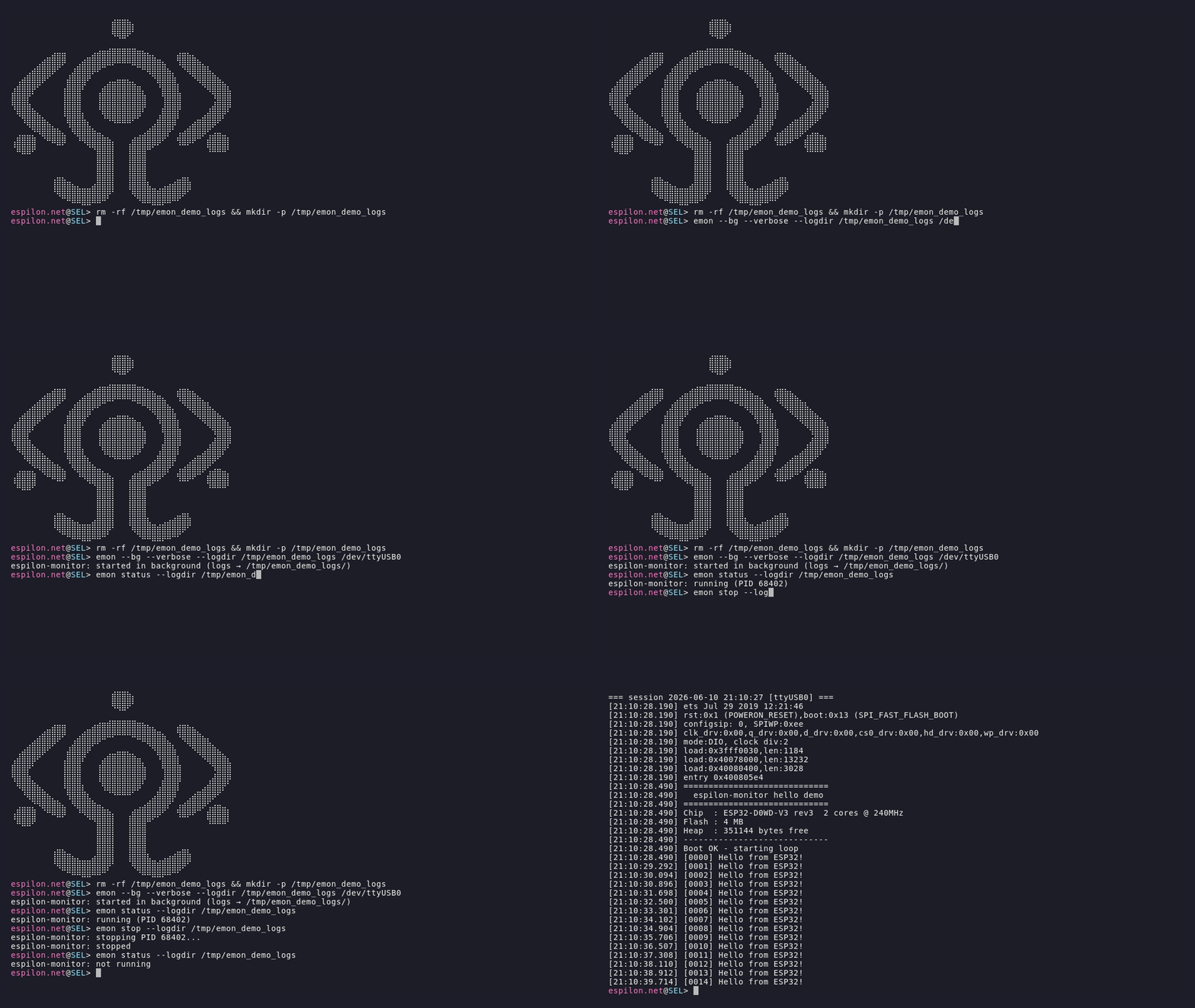
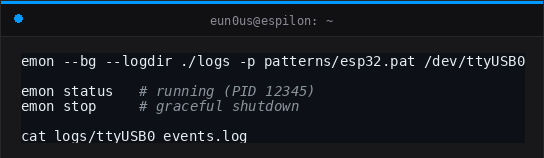
Logs rotate automatically. Events are saved with pre-event context lines for easy debugging.
Writing your own patterns
Built-in families cover the most common boards, but you can write a pattern file for any device in under a minute: industrial sensors, custom firmware, GSM modems, whatever your device prints over UART.
Create a .pat file:
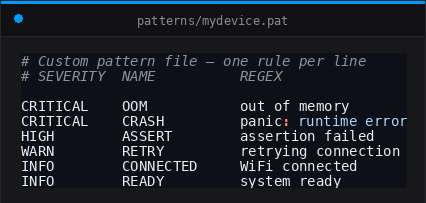
Rules follow the format SEVERITY NAME REGEX:
| Field | Values |
|---|---|
SEVERITY | CRITICAL HIGH WARN INFO |
NAME | any identifier, used with --wait-for and --exit-on |
REGEX | POSIX extended regex, matched against each incoming line |
Lines starting with # are comments. Load it with -p:
emon -p patterns/mydevice.pat /dev/ttyUSB0Load multiple files at once, rules from all files are active simultaneously:
emon -p patterns/device-a.pat -p patterns/device-b.pat /dev/ttyUSB0Config file
Instead of passing flags every time, persist everything in a .emon.conf file:
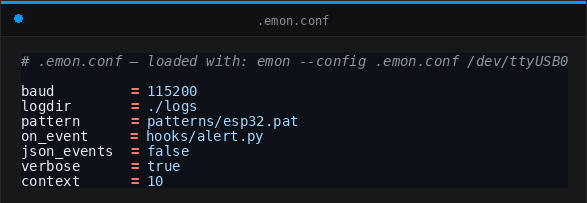
Then load it with --config:
emon --config .emon.conf /dev/ttyUSB0CLI flags always take priority over the config file, so you can override on the fly:
emon --config .emon.conf --no-color /dev/ttyUSB0A full reference with every available option ships in .emon.conf.example
(installed at share/doc/emon/ or in the repo root).
Event hooks
Fire a Python script on every match, no blocking:
emon --on-event hooks/alert.py -p patterns/mydevice.pat /dev/ttyUSB0emon passes the event as JSON on stdin. The script runs fire-and-forget.
Ready-made hooks for ntfy, Slack, Discord and SQLite ship in docs/hooks.md.
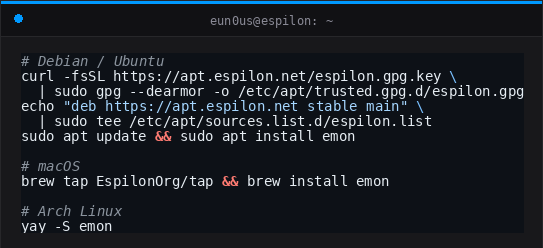
Install
Source: github.com/EspilonOrg/emon
Built at Espilon - embedded security research.